
The desktop port of RadioAndroid. Same C# codebase, same LibVLC engine — rebuilt for a window you can resize, a system tray and a keyboard.
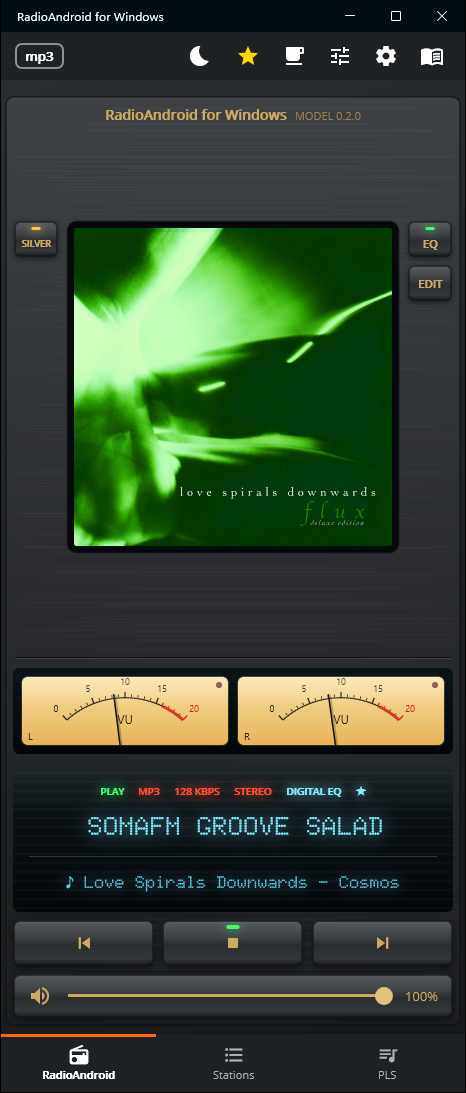
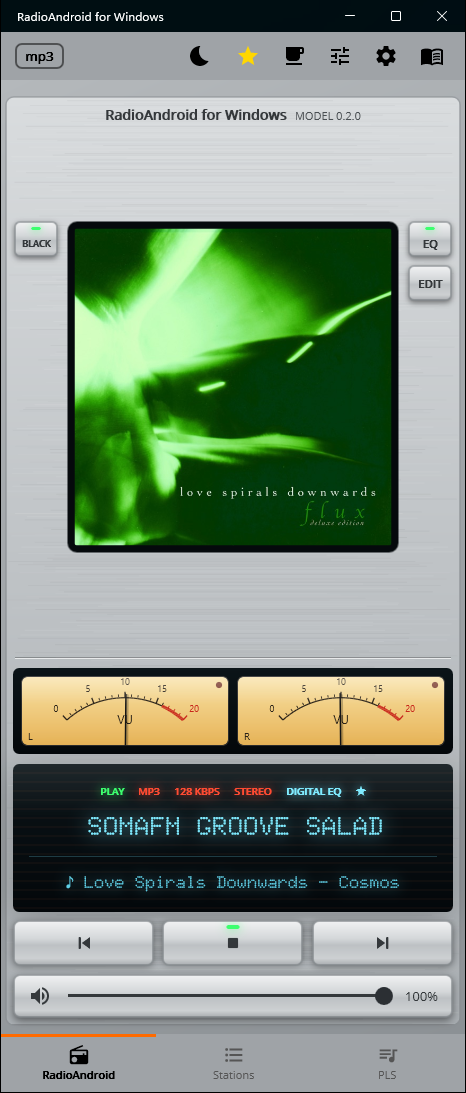
Vintage player. In the app the needles measure the sound it plays — here they only move like music. Drag the slider to try them, AUTO to let them play.
LibVLC 3.0.23 plays ICY, MP3, AAC, Ogg and HLS. No second engine to choose, nothing to configure — paste a URL and it plays.
Narrow like a phone, half a screen, a quarter, or the whole monitor. The player switches to two columns when there is room; the station grid adds columns as you widen it.
ICY titles are read from the stream, and the cover comes from iTunes, Deezer or AudioAddict. Station logos are cached on disk so the grid stays fast.
60 Hz to 16 kHz, with presets you can save and load. The same EQ files as the phone version.
Seven backgrounds plus your own custom colours, five VU meter styles, and Light / Dark / Auto for the bars — Auto takes its colours from the skin. The VU meter measures the sound the app plays: five bands, left and right, following the volume.
The whole app as one piece of hi-fi equipment: a dot-matrix display with status lamps, brushed-metal keys in silver or black, and two needle VU meters that swing with the music like an amplifier's.
Closing the window keeps the radio playing. Left click brings it back, right click gives you play/pause, previous, next and exit.
Ctrl+P plays, Ctrl+←/→ change station, Ctrl+1/2/3 switch tabs, F1 opens help. The keyboard's media keys work even when the window is in the background, through the Windows media session.
The wheel over the volume bar changes volume, a double click on the cover plays or stops, drag and drop reorders stations, and the fourth mouse button goes back — as in a browser.
Playlists, EQ presets and skins live in Documents\RadioA in the same formats as on the phone — copy them across and they just work. Uninstalling never touches them.
A stream that dies is reconnected; one that goes silent without an error is detected by watching the audio buffers, not just the player state.
Set it from the moon in the bar and the countdown replaces the icon. Stopping playback yourself clears the timer.
Self-contained: .NET, the Windows App SDK and LibVLC are all in the package. The Store installs it for your account without administrator rights and keeps it up to date.
The same app at phone width, at half a screen, at a quarter and maximised. Nothing is cut off and nothing is stretched — the layout reflows.
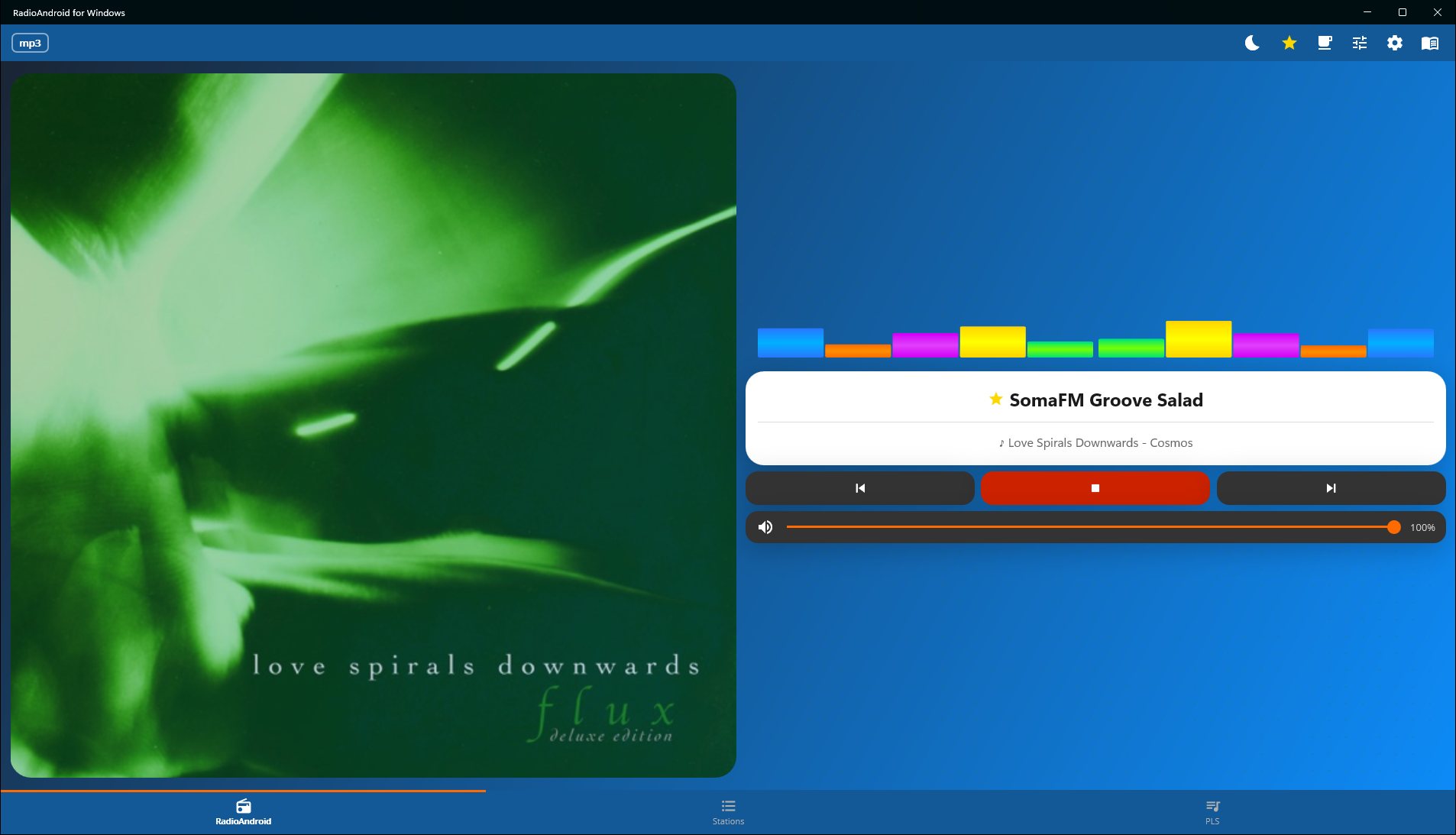
Wide window — the player splits into two columns
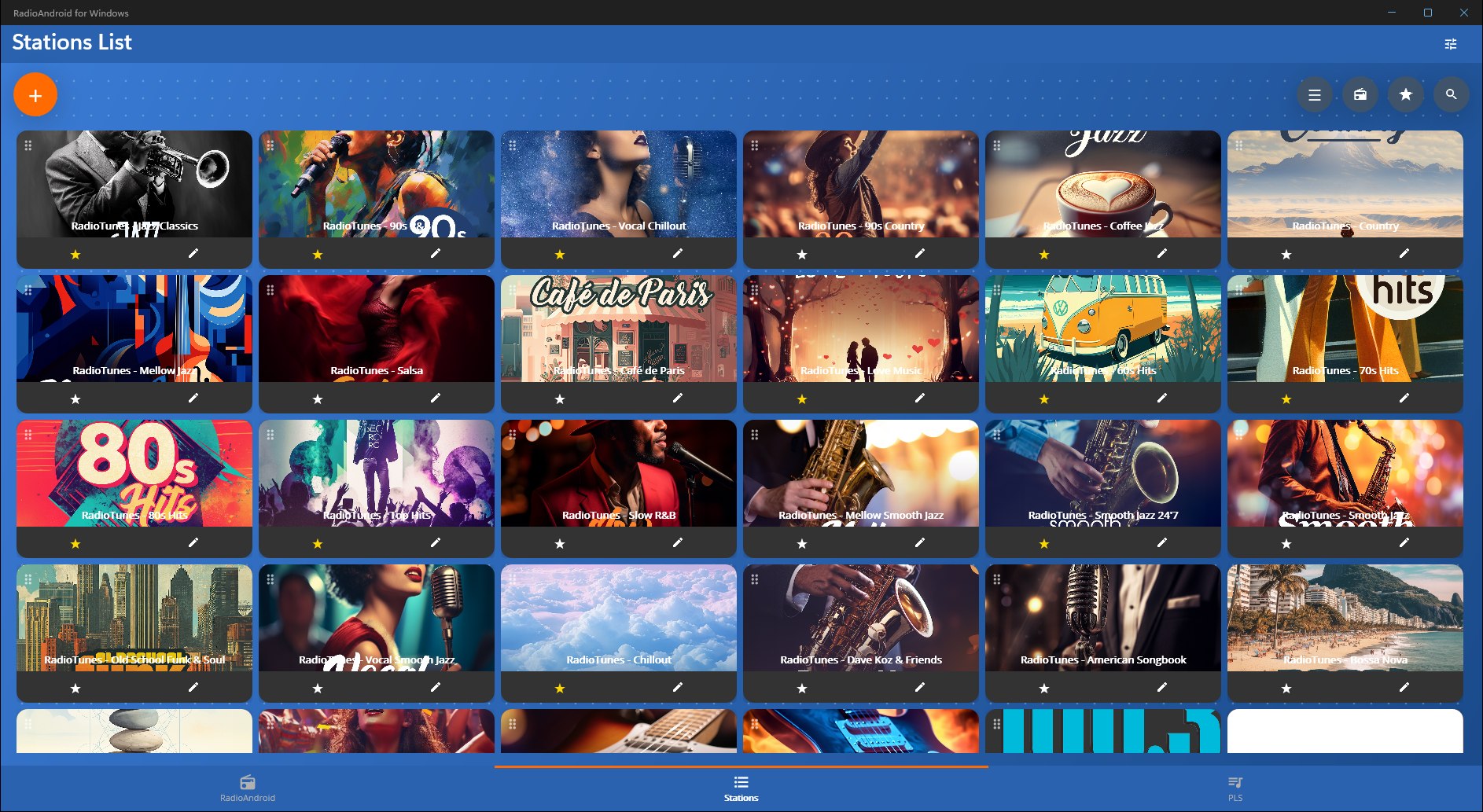
Maximised — the station grid adds columns
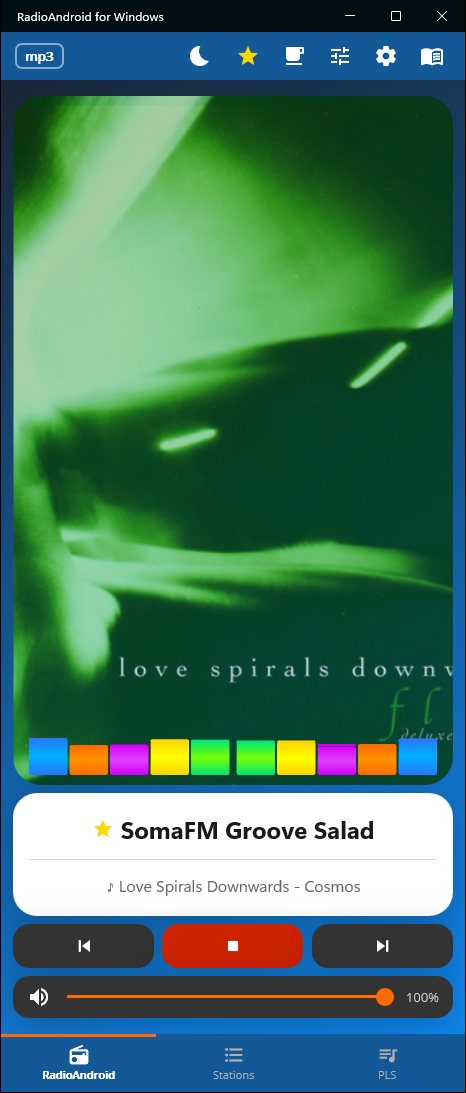
Phone width
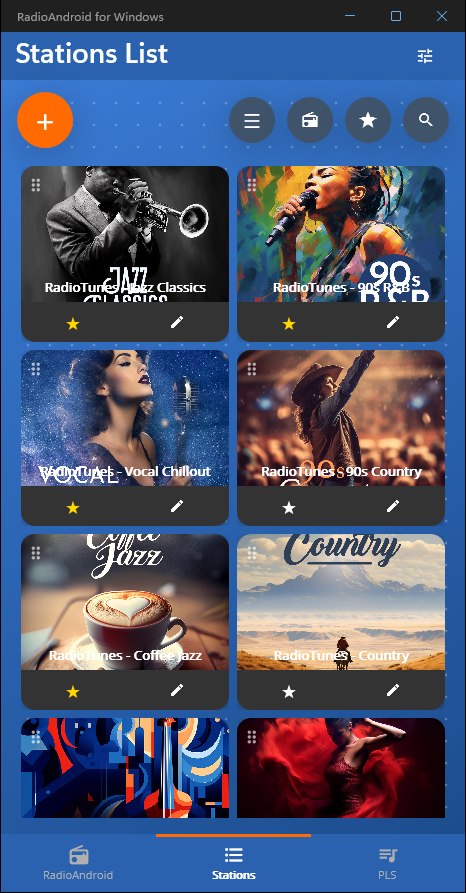
Phone width — station list
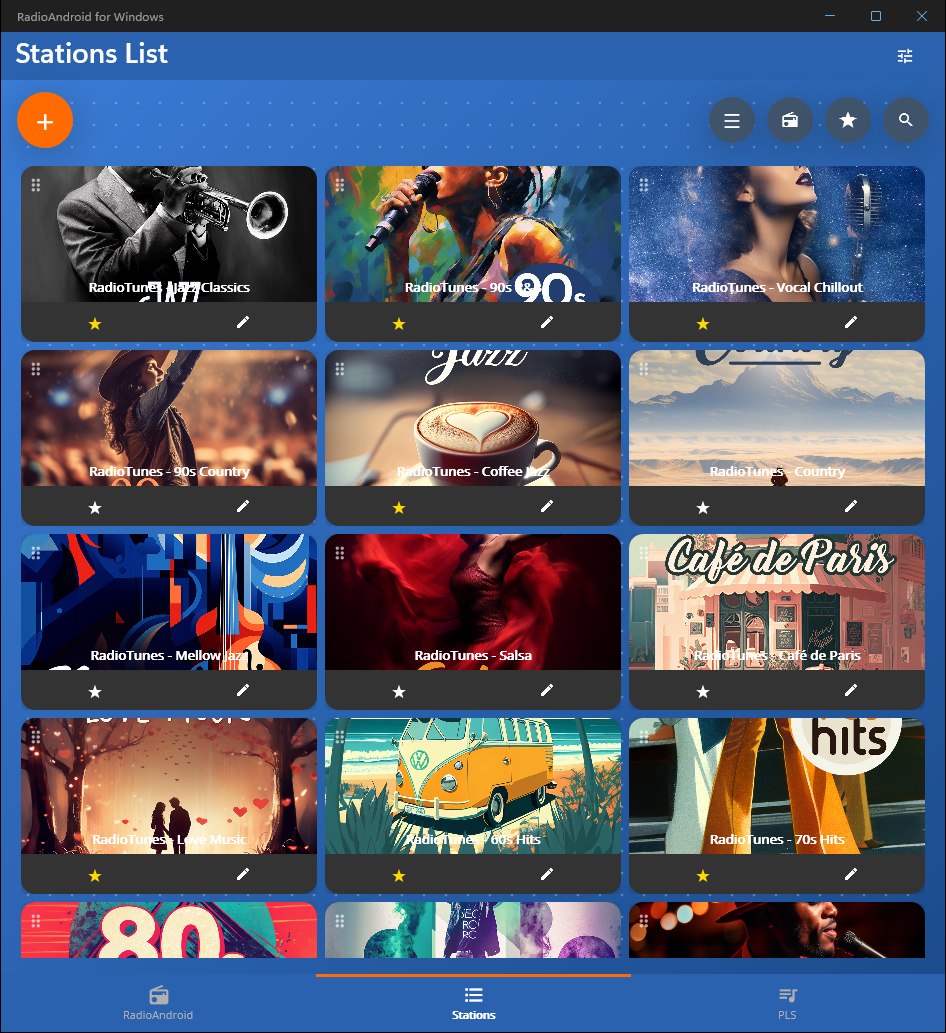
Half screen
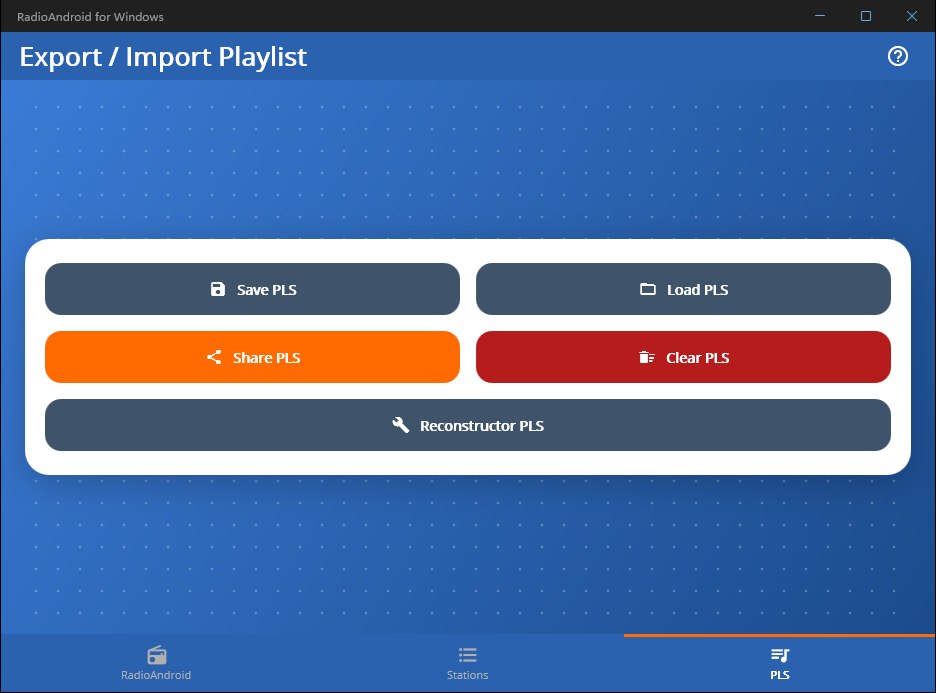
Quarter screen — playlists
Seven skins and five VU meter styles, all shown here on live RadioTunes streams — the cover art and the track title come from the stream itself.
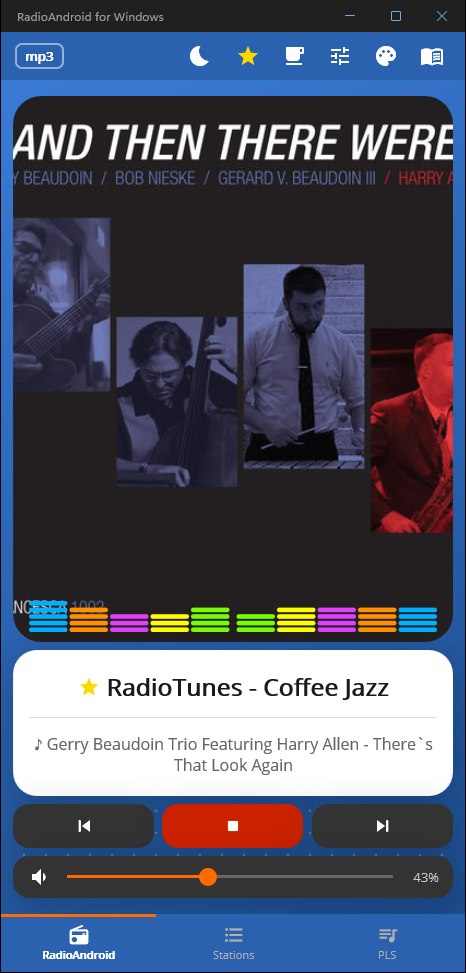
Ocean skin · bar VU
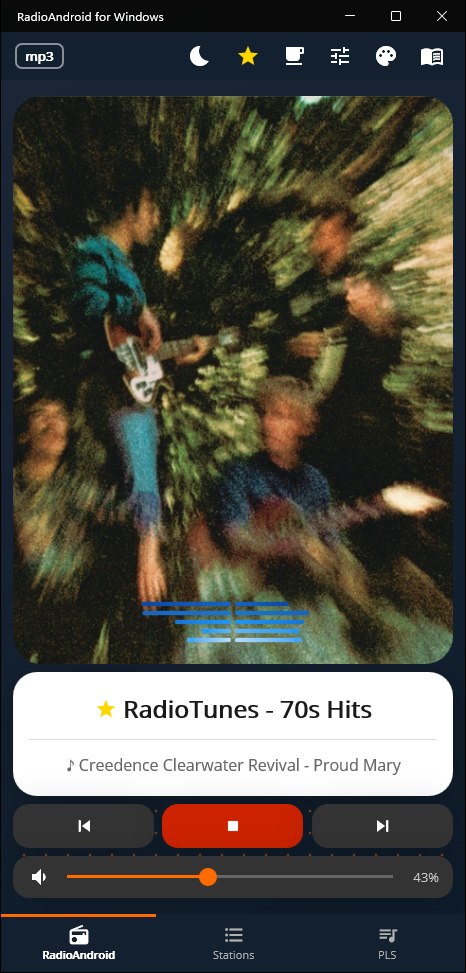
Night skin · line VU
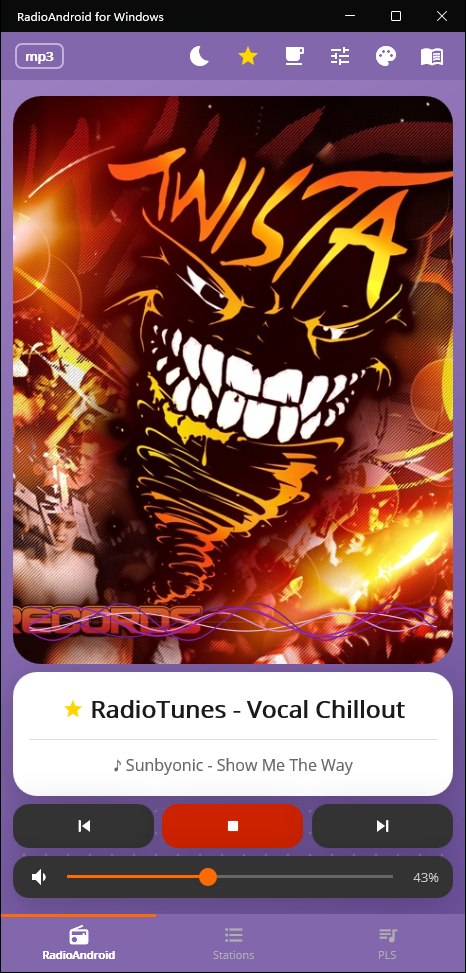
Purple skin · wave VU
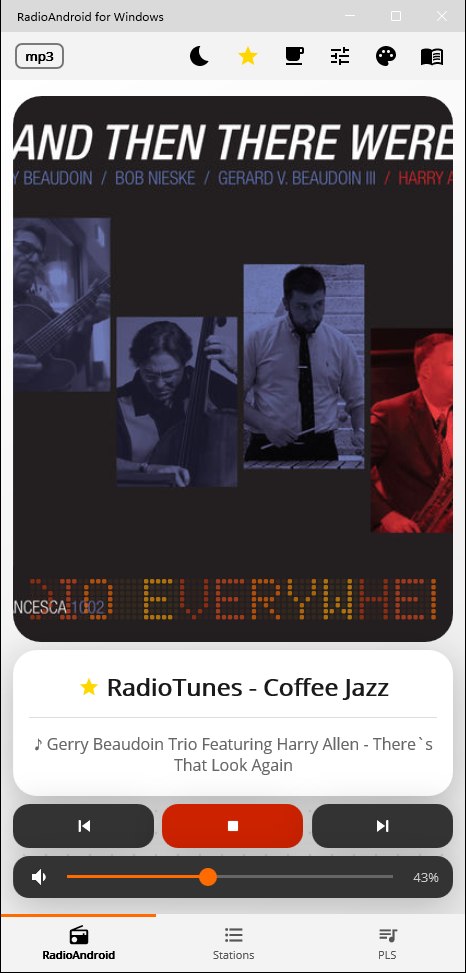
White skin · text VU · light bars
The same player as one piece of hi-fi equipment — the needles measure the sound the app plays. The EDIT key opens the equalizer editor, the cup in the toolbar is the optional coffee page.
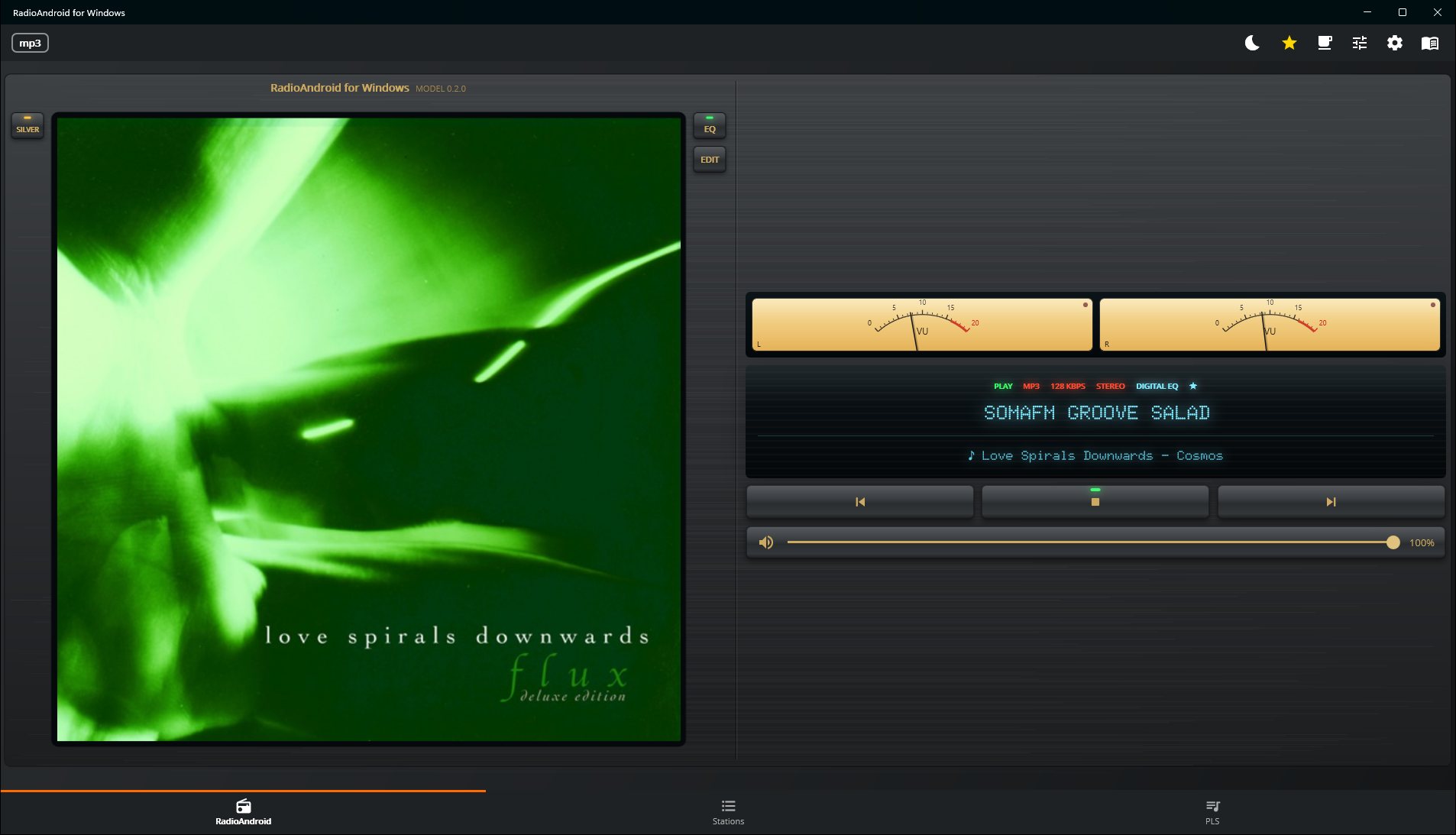
Vintage · black, wide window
Vintage · silver
Vintage · black
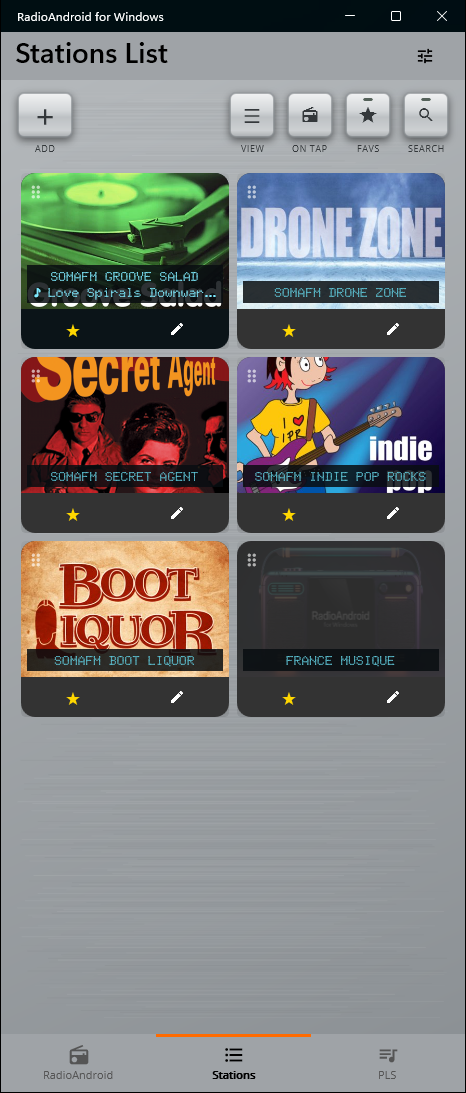
Vintage · station list
Everything has a button — nothing is hidden behind a gesture you have to guess.
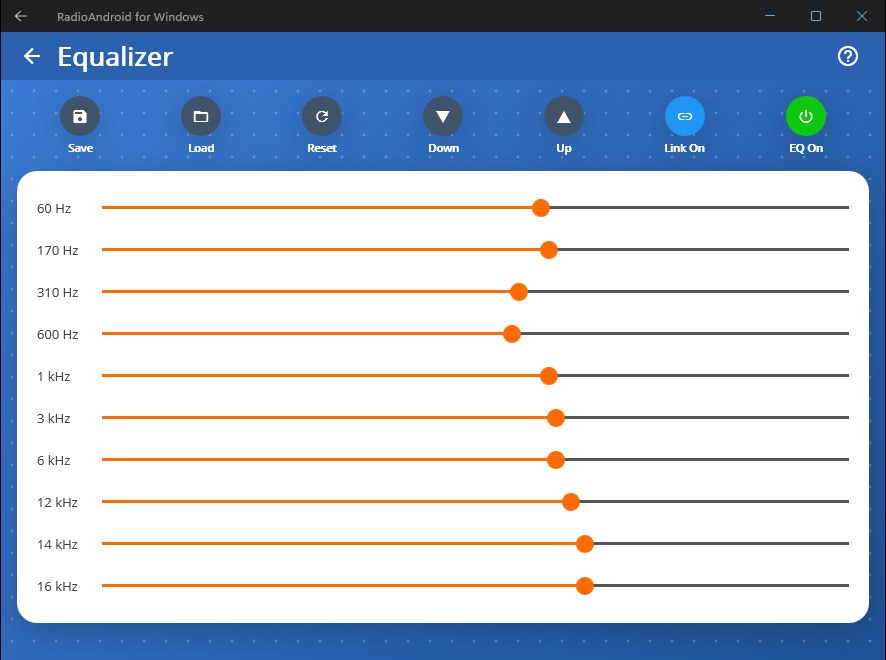
10-band equalizer with presets
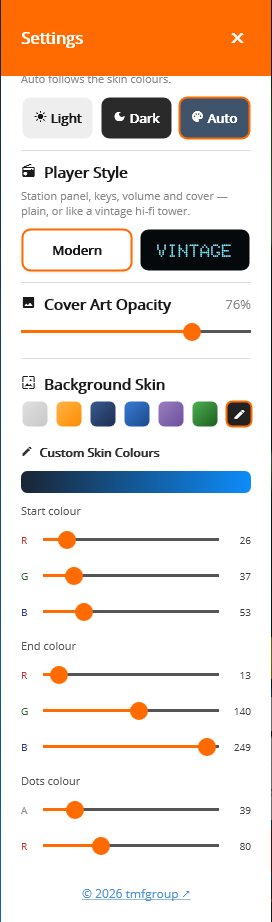
Theme, player style and skins in one panel
The Microsoft Store is the only place to get the Windows app. A copy from anywhere else may have been altered.
The original app, with Android Auto and Bluetooth control. Playlists, equalizer presets and skins move between the phone and the PC in both directions.
▶ Get it on Google Play
Licence terms: shown in the Microsoft Store ·
Privacy policy ·
Third-party licences
Found a problem? Report it on GitHub.
Half of the Android app is about the car and the phone — Android Auto, the Bluetooth media session, switching from Wi-Fi to mobile data. None of that has a meaning on a desktop, so none of it was ported. What is left is the radio itself, plus the things a desktop expects and a phone does not have.
| Feature | Android | Windows |
|---|---|---|
| Internet radio, ICY metadata, cover art | yes | yes |
| 10-band equalizer with presets | yes | yes |
| Skins, VU meters, sleep timer | yes | yes |
| PLS / JSON playlists (same file format) | yes | yes |
| HLS (.m3u8) streams | ExoPlayer | LibVLC |
| Keeps playing in the background | foreground service | system tray |
| Keyboard shortcuts & media keys | — | yes |
| Resizable window, two-column player | — | yes |
| Android Auto | certified | not applicable |
| Bluetooth media session (AVRCP) | yes | — |
| Wi-Fi → mobile data fallback | yes | not applicable |
| Chromecast / TV | yes | — |
The namespaces, the view models and the service layer are the Android ones, unchanged — the port was done by subtraction, not by rewriting.
The same engine as the phone app uses for everything except HLS. On Windows it handles HLS too, so there is only one engine to reason about.
LibVLC and LibVLCSharp under LGPL-2.1, .NET MAUI and the Community Toolkit under MIT, Material Icons under Apache-2.0. The full licence texts ship with the app.
If RadioA plays in your room the way it plays in the car, consider buying the developer a coffee.